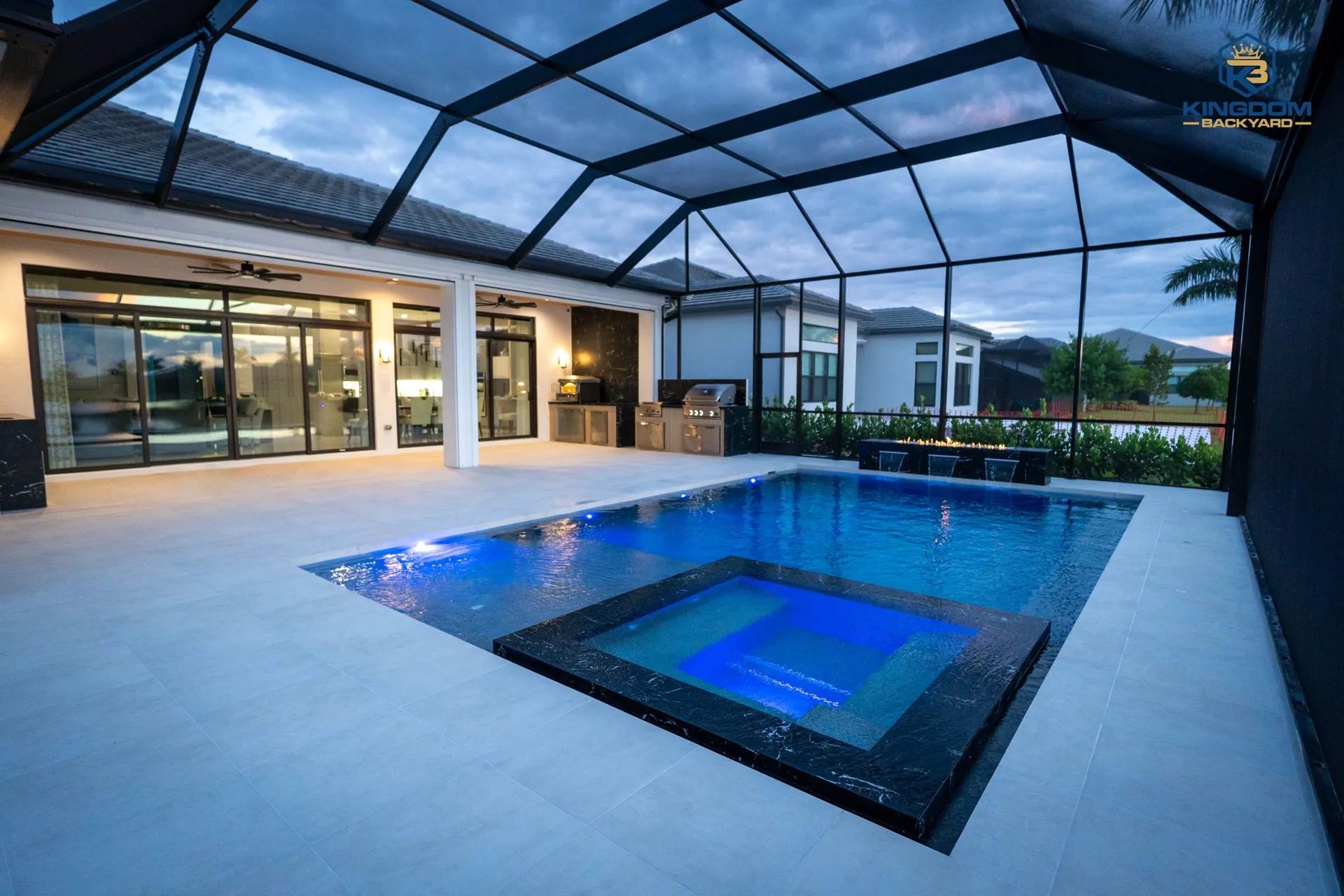
Screened pool and spa at dusk with blue pool lights and an outdoor kitchen

07 · Smart backyard

Your whole backyard, one tap away

Pumps, heat, sanitization, pool and spa lights, water features and landscape lighting, all in one app on your phone or watch. Or just ask Alexa. No walking out to the equipment pad, no guessing at settings.

Featured film

The Hayward SmartPad

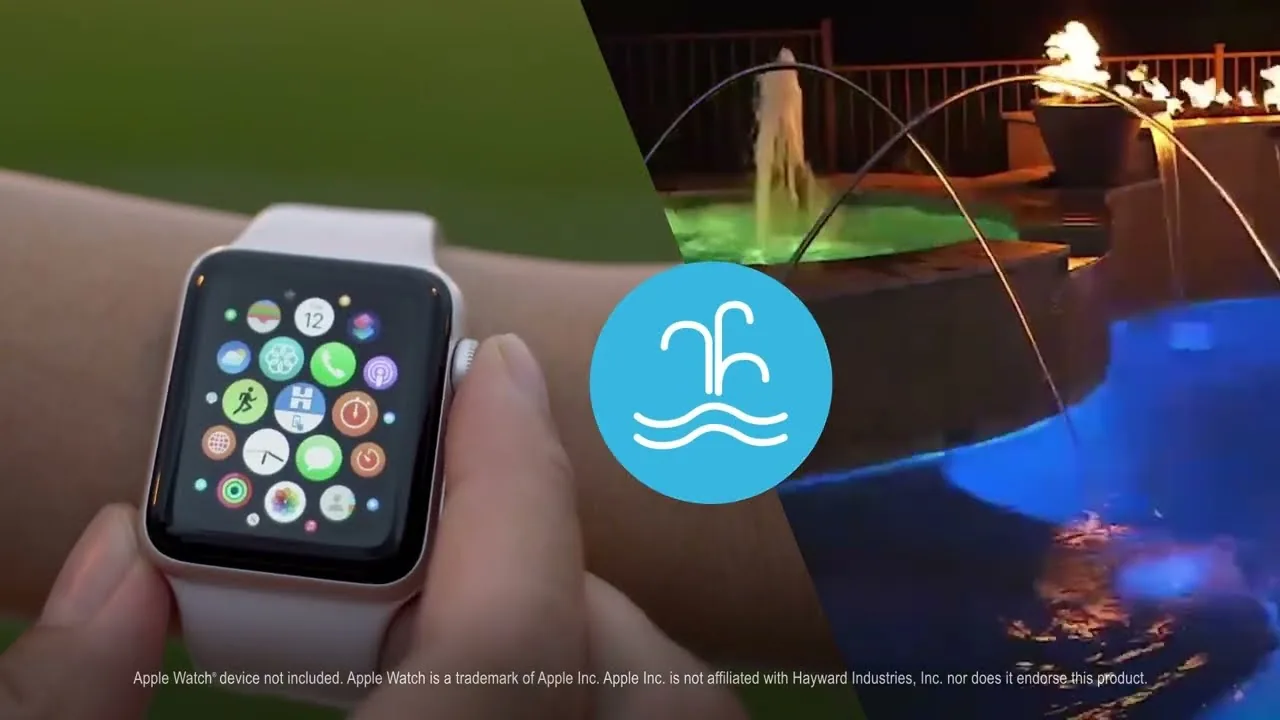
A phone and a watch running a backyard at night: fire bowls, laminar jets and color lights. Official Hayward film; it loads from YouTube only when you press play.

The Hayward SmartPad film, a backyard controlled from a smartwatchPlay: The Hayward SmartPad

Hayward film · 1:10

Try it yourself

Tap a theme. Watch the backyard answer.

With Hayward OmniLogic you save your favorite combination of settings as a theme and start it with one tap. Try a few below and see what changes in the yard.

My backyard

All systems OK

Favorite themes

Equipment

Pool lights: on.

Illustration of how one tap themes work. Your themes are set up for the equipment in your own backyard.

Why homeowners love it

Fourteen ways the backyard gets easier

Every point below comes from Hayward's own product pages, written in plain words.

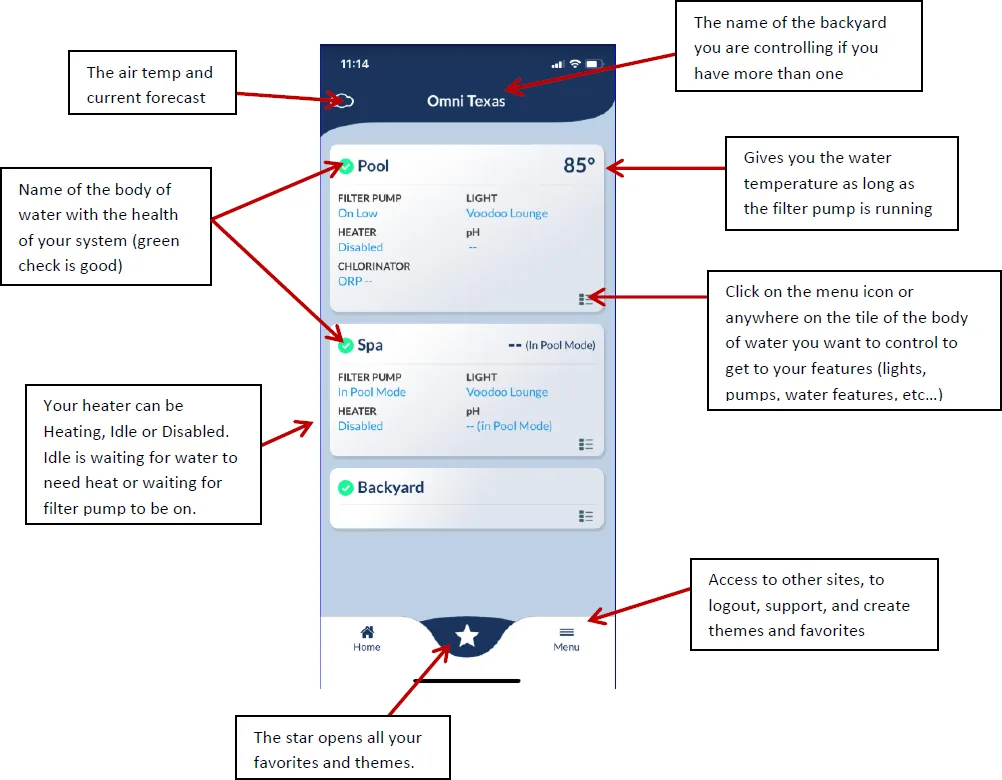
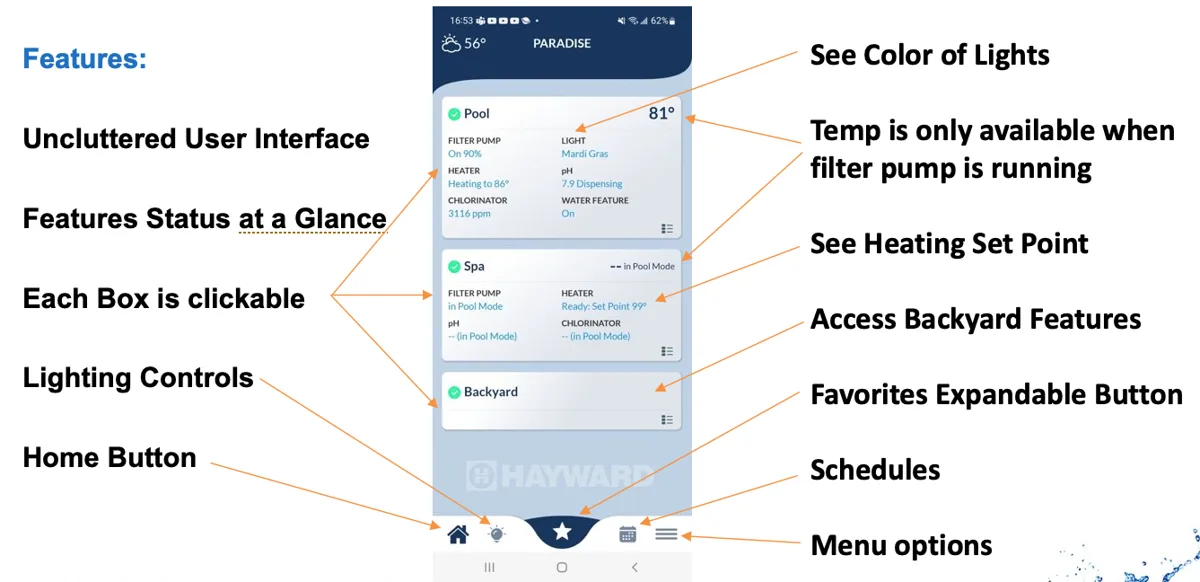
  1. One app for the entire backyardPumps, heaters, sanitization, pool and spa lights, water features and backyard lighting, all from the same app. Pool, spa and backyard each get their own tile with live status.
  2. Control from anywhereAt home or away, check on and run the pool, spa and yard from your phone or smartwatch.
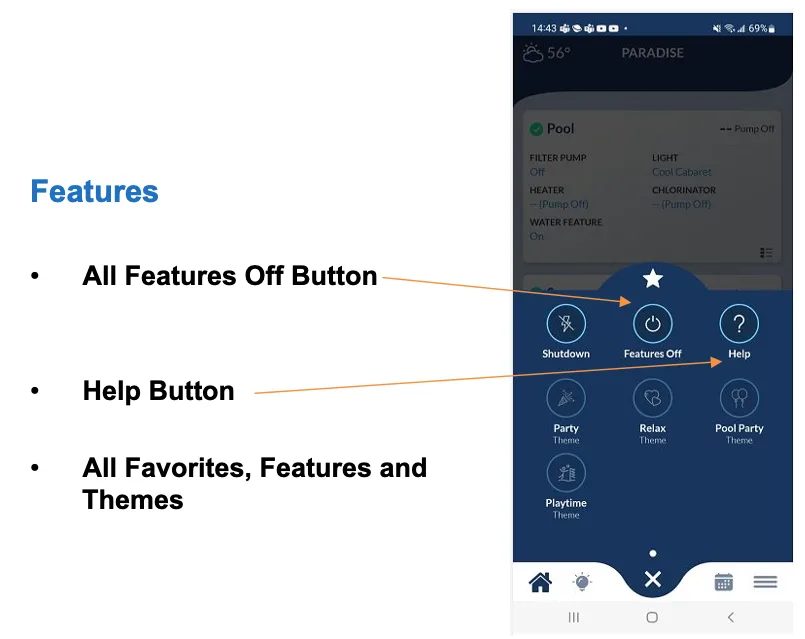
  3. One touch themesSave your favorite settings as a theme, like Spa Party or Pool Party, and start it with one tap from the favorites button.
  4. Filtration on autopilotChange pump speed from the app and put filtration on a schedule. OmniLogic directly controls up to 16 Hayward variable speed pumps.
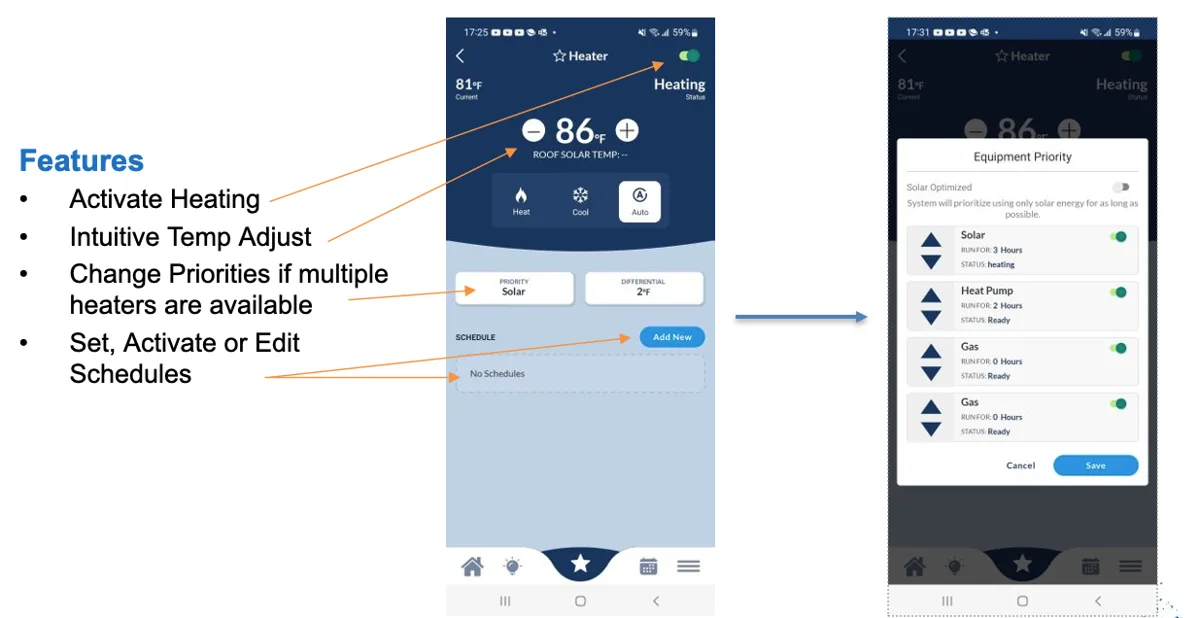
  5. Spa hot when you get homeSet the pool or spa temperature from anywhere. Or say: Alexa, ask Hayward to set my spa heater to 100 degrees.
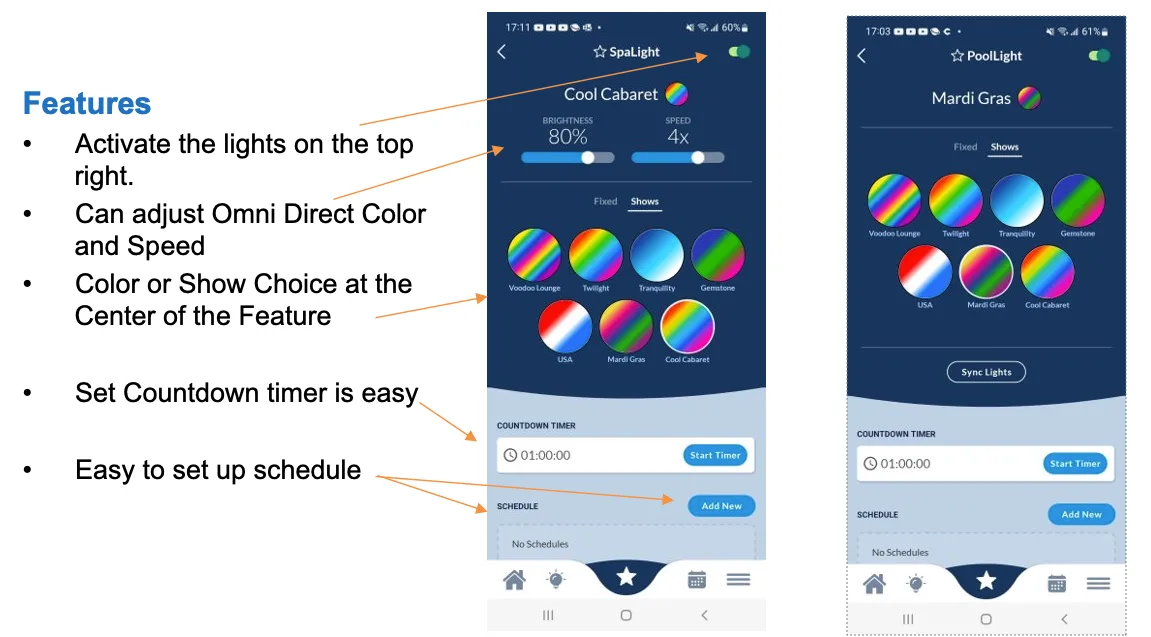
  6. Lights and light showsChange colors, start shows and save favorite looks. With ColorLogic lights, OmniDirect Mode adds 20 extra colors, 7 exclusive shows, dimming and show speed.
  7. Water features in syncSheers, bubblers, laminars and water bowls turn on from the same app and stay in sync with the lights.
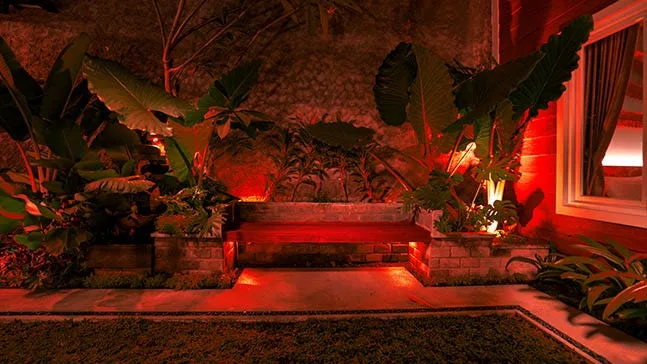
  8. Landscape lightingPathways, pool decks and seating areas light up on a schedule or with a voice command. Backyard lighting can be added any time.
  9. Water chemistry handledCheck salt levels and set chlorination from the app. With chemistry sensing, chlorine and pH are balanced automatically, and Super Chlorinate is one tap after a party.
  10. Pool to spa in one tapSwitching from pool to spa and back is a tap. The valves do the work, and can also run solar heating or water features.
  11. Alerts and peace of mindA green check on the home screen when all is well, and a flag when something like salt level is out of range.
  12. Voice controlWorks with Amazon Alexa and Google Home. Ask for pool status, change pump speed, set heat, change light shows or turn everything off.
  13. Energy savingsSmart scheduling can save up to 70% on energy costs, according to Hayward. Close an automatic cover and the pump, chlorinator and heater scale back on their own.
  14. Grows with your backyardEasy to expand when you add equipment or lighting later. For existing pools, OmniHub brings the same app to Hayward and most other brands.

Inside the OmniLogic app

See the real screens

Official Hayward screenshots of the OmniLogic app. Tap a screen to look closer.

OmniLogic app, Home screen. Official Hayward screenshot

Screen 1 of 6

Home screen

Pool, spa and backyard each have a tile with live status, so you see what is on at a glance.

OmniLogic app, Navigation screen. Official Hayward screenshot

Screen 2 of 6

Navigation

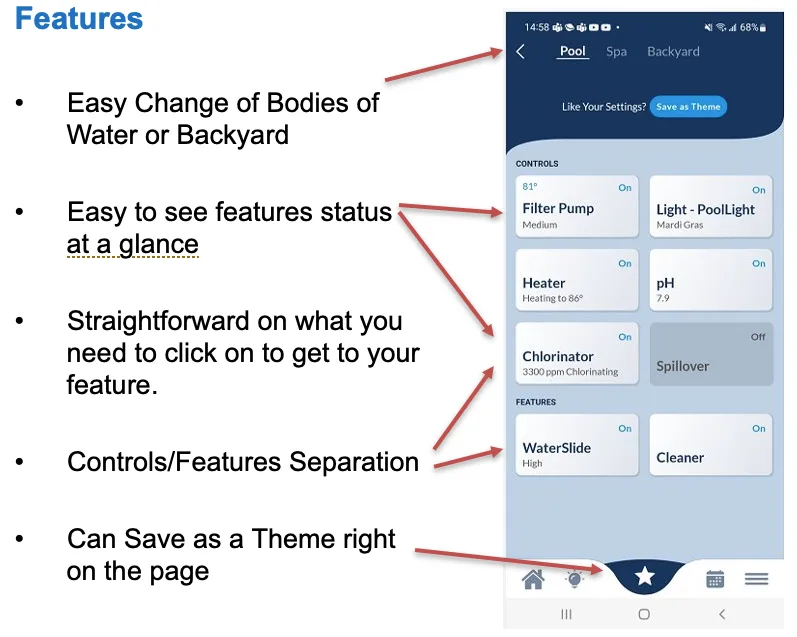
Move between bodies of water and equipment in one tap. Favorites live behind the star button.

OmniLogic app, Features screen. Official Hayward screenshot

Screen 3 of 6

Features

Waterfalls, bubblers, laminars and other features switch on and off from one screen.

OmniLogic app, Lights screen. Official Hayward screenshot

Screen 4 of 6

Lights

Change pool and spa light colors and start light shows.

OmniLogic app, Themes screen. Official Hayward screenshot

Screen 5 of 6

Themes

Your saved combinations of settings, ready to start with one tap.

OmniLogic app, Heater screen. Official Hayward screenshot

Screen 6 of 6

Heater

Set the pool or spa temperature, from the backyard or from anywhere.

Your decision

OmniLogic or OmniHub?

Both run on the same OmniLogic app. The difference is the kind of project: OmniLogic is built for fully featured new pools, OmniHub adds smart control to a pool that already exists. Choose one.

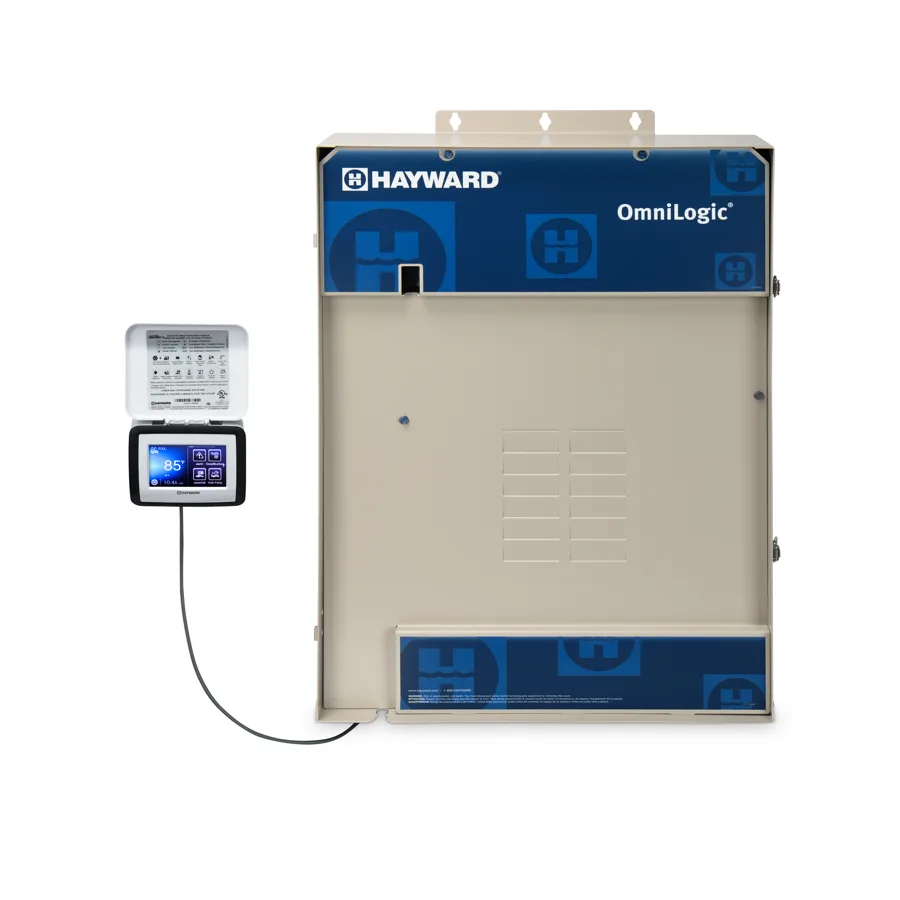
Best for new poolsHayward OmniLogic HLBASE automation panel, photo by Hayward

Best for new pools · Hayward HLBASE

OmniLogic Pool, Spa and Backyard Automation

Elite automation for fully featured new pools and spas, with modular expandability so the backyard can keep growing.

Application
New construction
Variable speed pumps
Up to 16, no relays needed
Relays
4, upgradeable to 20
Lighting
OmniDirect Mode with ColorLogic
Salt
Salt ready
Remotes
Wireless, wall mount and spa side
Voice
Amazon Alexa
Warranty
3 year parts, 1 year labor

Pricing: request details from your project manager.

Add to My Selections
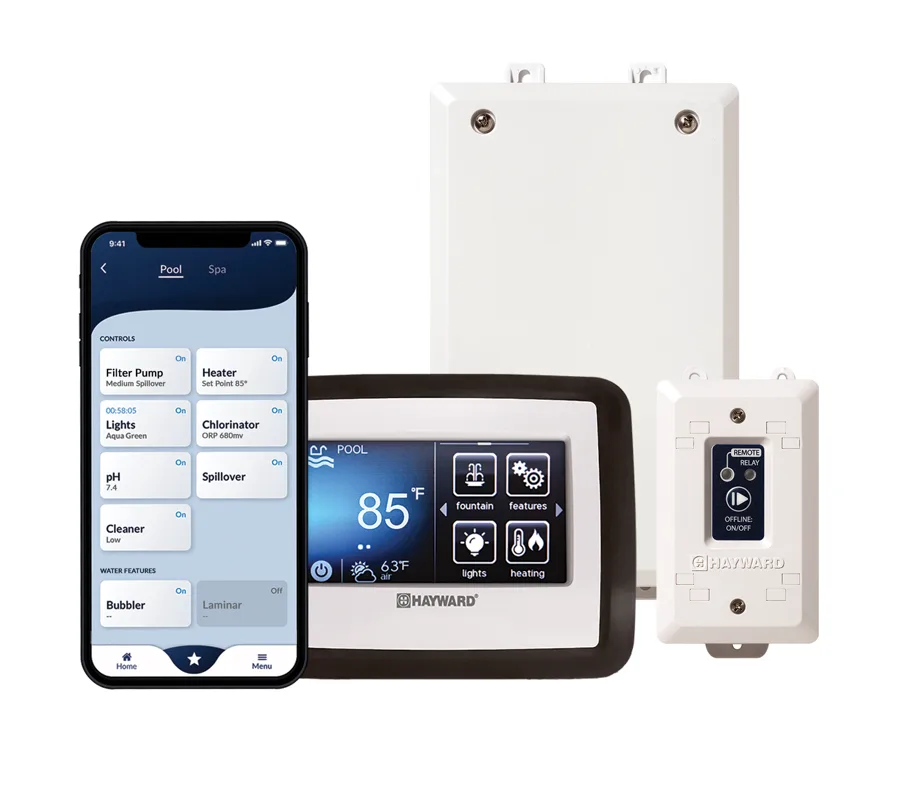
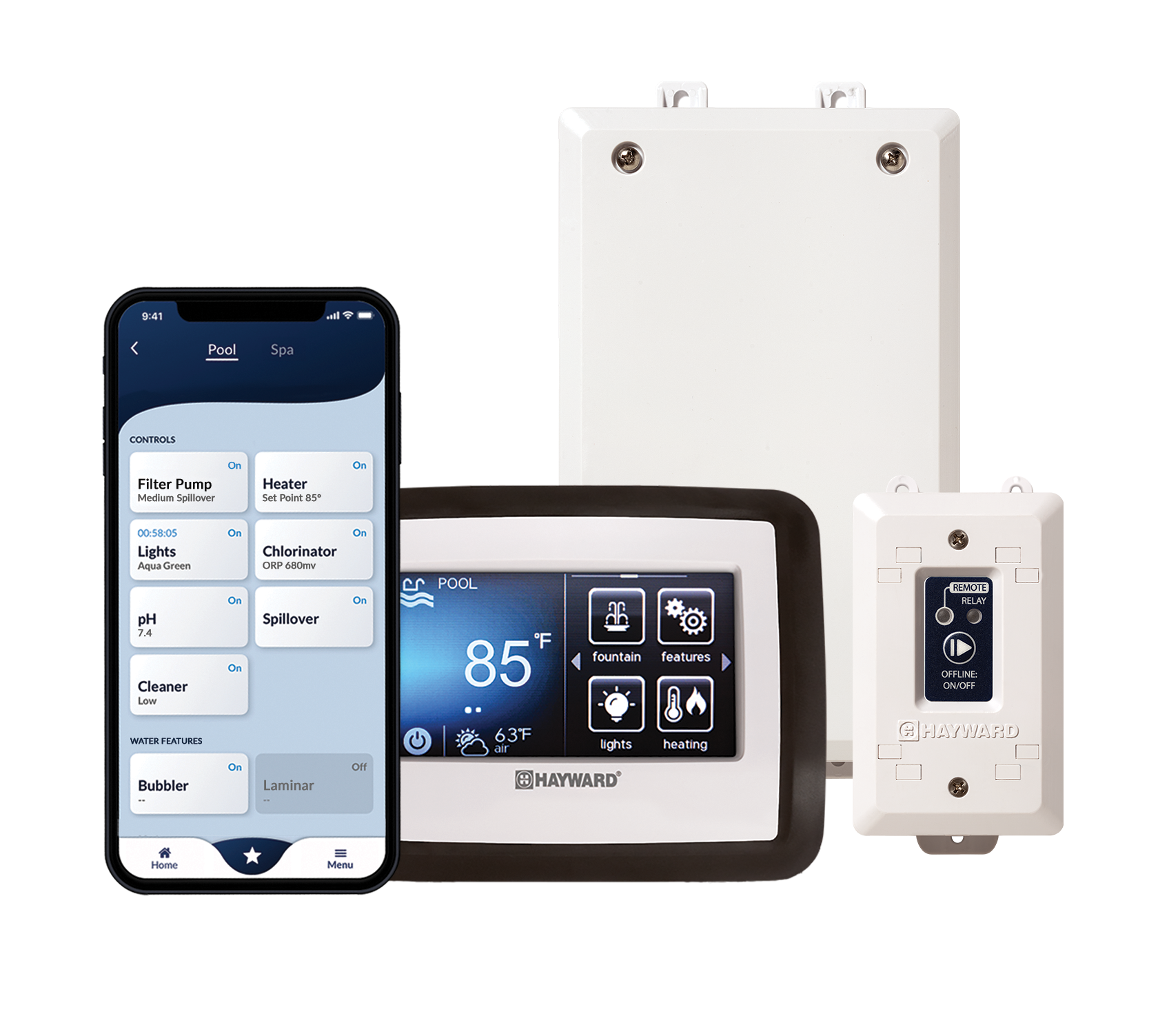
Best for existing poolsHayward OmniHub smart pool and spa control with the app, photo by Hayward

Best for existing pools · Hayward HLOMNIHUB

OmniHub Smart Pool and Spa Control

Adds smart control to nearly any pool. Works with Hayward and most other pool equipment brands for the entire pool and spa pad.

Application
Renovation and existing pools
Variable speed pumps
Up to 3, no relay needed
Relays
1 high voltage, upgradeable to 3
Valves
2 (pool and spa, solar or features)
Favorites and themes
50 favorites, 25 themes
Lighting
OmniDirect Mode with ColorLogic
Voice
Amazon Alexa
Warranty
3 year parts, 1 year labor

Pricing: request details from your project manager.

Add to My Selections
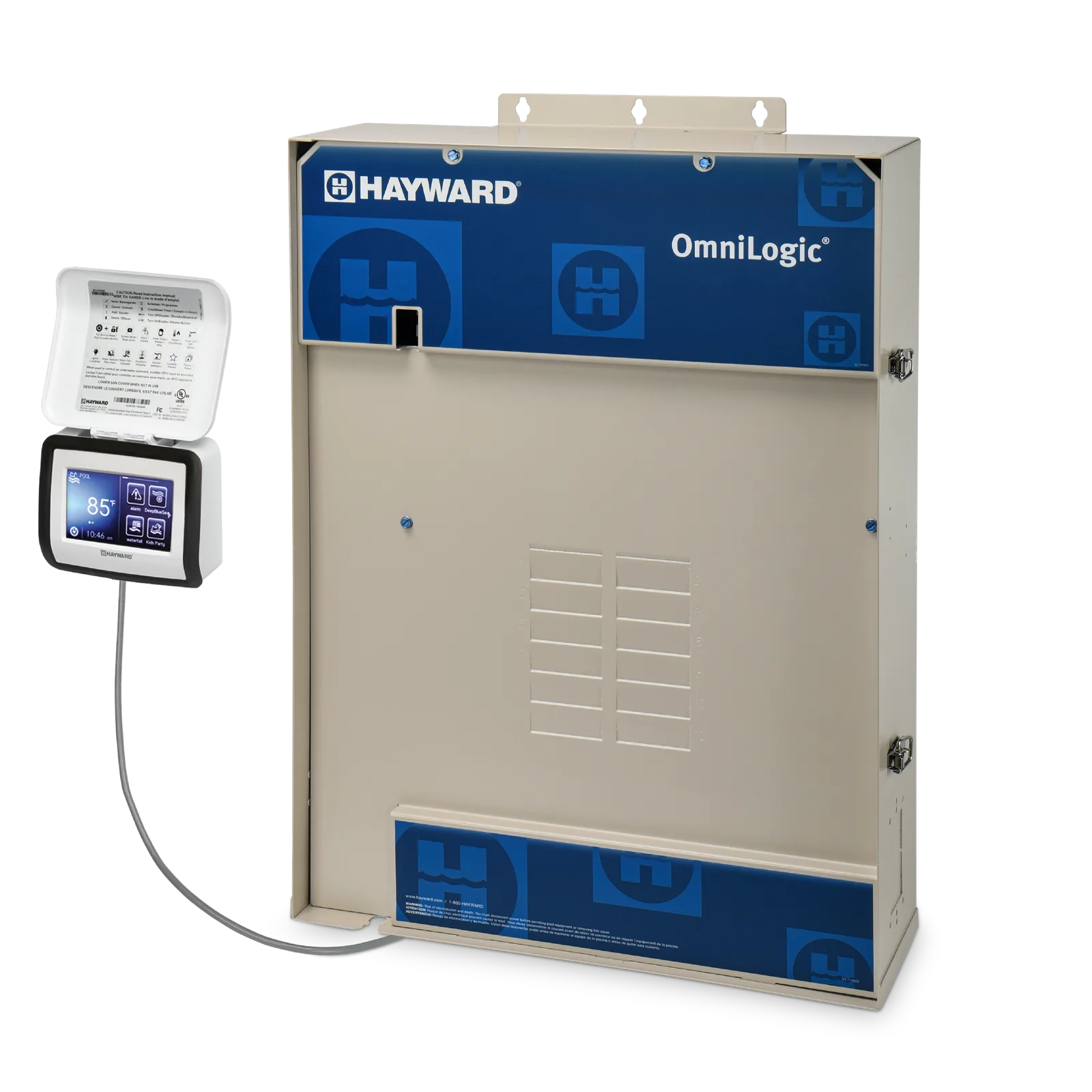
Hayward OmniLogic Pool, Spa and Backyard Automation automation system, photo by Hayward

Hayward

Hayward OmniLogic Pool, Spa and Backyard Automation

Elite automation for fully featured new pool and spas.

Pricing: request details from your project manager

CompareAdd to My Selections
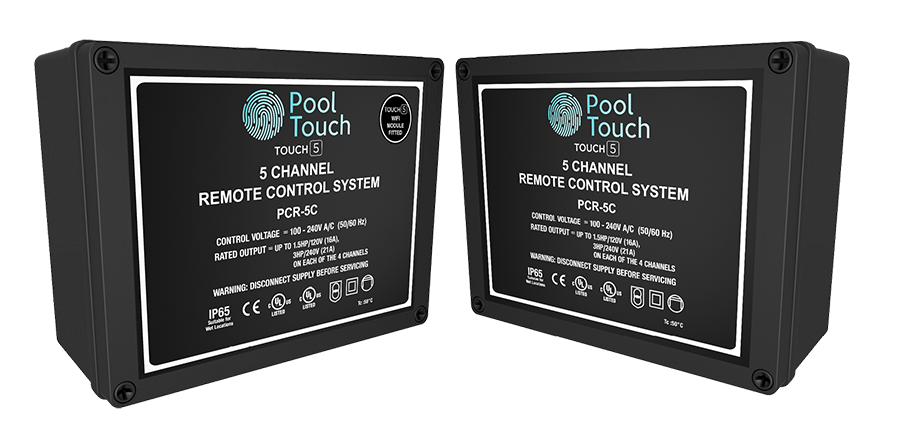
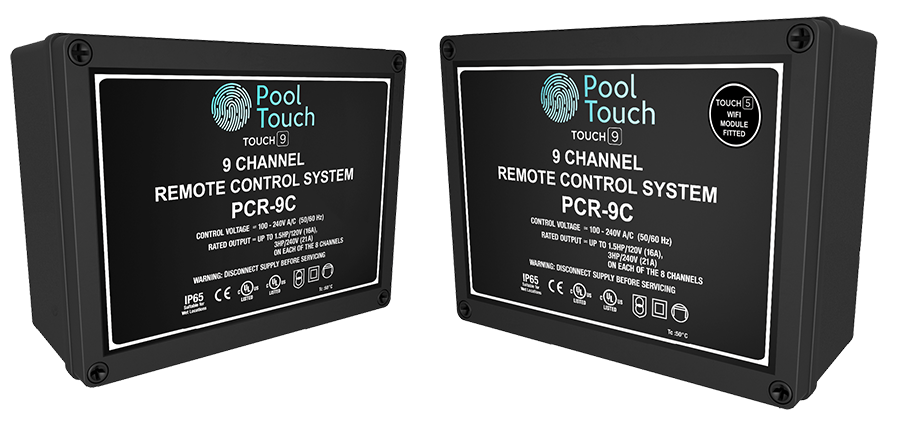
PAL Pool Touch 5 automation controller, photo by PAL Lighting

PAL Lighting

PAL Pool Touch 5

Adjust pool lighting colors, scenes and effects with the PAL Pool Touch 5S, an easy-to-use controller for changing the look of the pool after dark.

Pricing: request details from your project manager

CompareAdd to My Selections
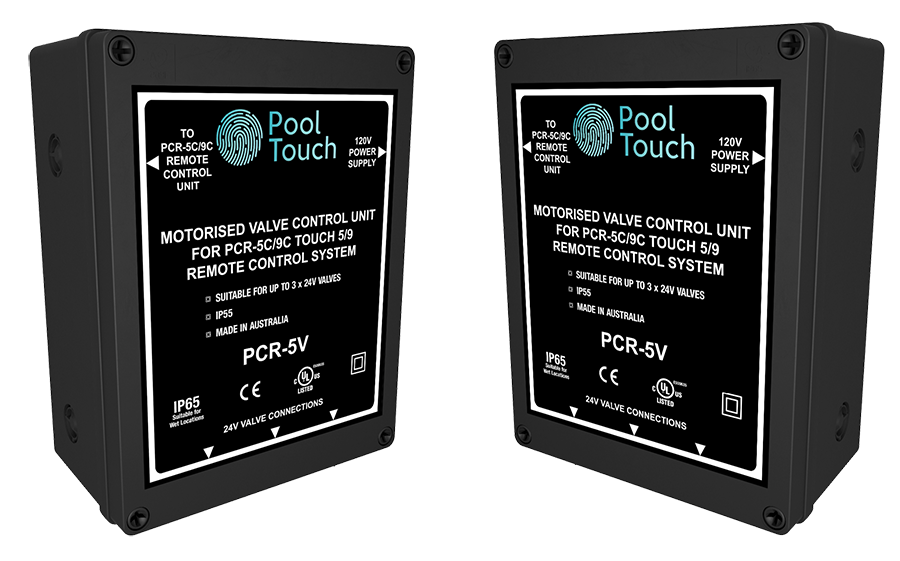
PAL Valve Control automation controller, photo by PAL Lighting

PAL Lighting

PAL Valve Control

Automate pool valves with PAL Valve Control to manage water features and simplify day-to-day operation in professionally installed pool systems.

Pricing: request details from your project manager

CompareAdd to My Selections

Works with

Everything else you choose plugs in

Pick Omni-ready equipment, lights and features and they all show up in the same app.

Questions

Smart backyard questions

OmniLogic or OmniHub?

OmniLogic is built for fully featured new pools and can grow with the backyard. OmniHub adds smart control to a pool that already exists and works with Hayward and most other equipment brands. Both run on the same OmniLogic app.

Can I control the pool with my voice?

Yes. OmniLogic works with Amazon Alexa and Google Home for pool status, pump speed, heat, lights and more.

Can I add lighting or features later?

Yes. OmniLogic is modular, so new equipment, lights and water features can be added to the same app as your backyard grows.

Next step

Save it, then send it to your project manager

Add the smart backyard options you like to My Selections. Nothing is ordered until you approve it in writing, and pricing for every option comes from your project manager.

Kingdom Backyard is a Florida Certified Pool Contractor, CPC1461374, and Certified Residential Contractor, CRC1333856. Product information comes from each manufacturer. See the Selection Studio terms.

0 of 13 decisions made
Compare (0 of 3)Compare now